
The complete dental lab.
Built around QuickBooks.
Case management, scheduling, invoicing, and reporting — all synchronized with QuickBooks in real time. Pricing that fits every lab, from solo ceramists to 30-person operations.
Dental lab management.
Synchronized with QuickBooks.
Most dental lab software treats QuickBooks as an afterthought — an export, a sync, a workaround. Dental Lab for QuickBooks was designed from day one to work directly with your existing QuickBooks company file. Every case, every invoice, every action flows through QuickBooks automatically. Your lab runs more efficiently than ever before.
Which version is
right for your lab?
Whether you're a solo ceramist or running a team of 30, there's a version of Dental Lab built for your size and budget.
One or two people, single workstation. Everything you need to track cases, invoice doctors, and stay in sync with QuickBooks — without the complexity.
Multiple workstations, larger teams, and more complex workflows. The full platform — everything in Starter plus multi-station support, advanced scheduling, deep reporting, and room to add on as you grow.
your lab needs
Standard is the foundation. Layer in the modules that match your workflow — CAD/CAM, shipping, doctor portal, and more. Only pay for what you use.
Start Free 30-Day Trial No credit card · live in 48 hoursFrom first case to final shipment.
Everything your lab needs to run.
Follow a real dental lab day — from the first case box opened in the morning to the last invoice posted to QuickBooks at night. Every chapter covers a different part of your day and the features that make it run.
This is the most amazing software for tracking cases.
Colorado, USA
I really love working with QuickBooks and DentaLab for QuickBooks.
New York, USA
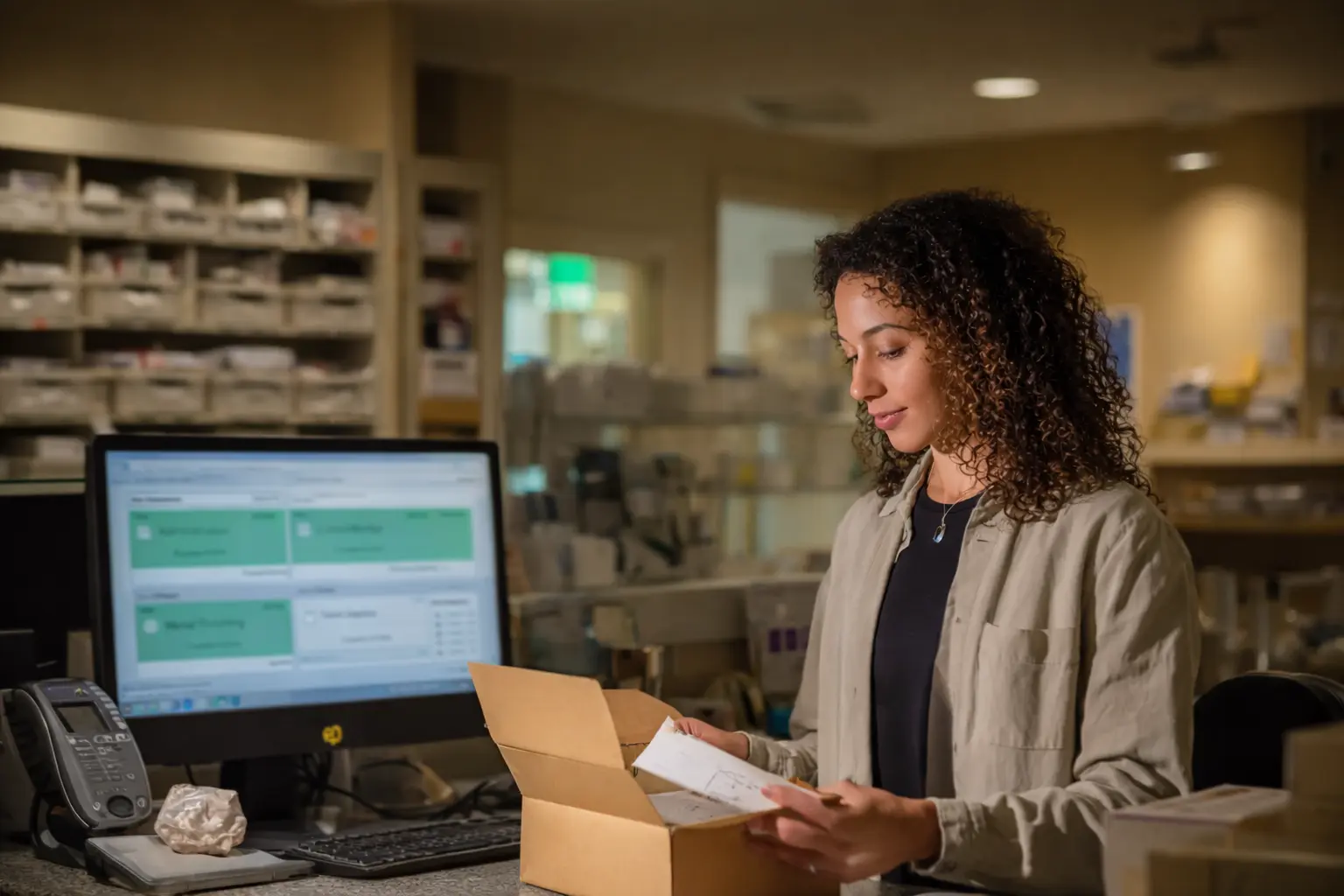
The morning stack is already sorted.
Overnight cases are logged before anyone touches the bench. DentalRx prescriptions with digital files are already in the DentaLab case records. Physical cases will arrive, be unpacked and entered into DentaLab. Requests will be reviewed and addressed.
- DentaLab automatically identifies and tracks cases received through DentalRx.
- DentalRx cases and digital files are reviewed and prepared for scheduling.
- Delivered cases are reviewed and entered into DentaLab, ensuring all required information is completed.
- Digital files and documents received via email are attached to the appropriate case record.
- Prior case and patient history can be quickly located using the case list.
- Requests from dental offices, including pickups, schedule changes, case planning, and phone support, are promptly addressed.
- Responses may include updates to DentaLab records, phone calls, emails, and/or communication through DentalRx.
- Case lists, queries, and reports can be used to identify cases that are ready to ship, overdue, on hold, pre-booked, awaiting outsourced work, or ready for billing and shipment.
- Internal lab notes provide quick access to frequently used text for documentation and communications.

Work hits the floor scheduled and assigned
Technicians review their work lists and get straight to it. Auto-routing and scheduling sends cases where they need to go, barcode scanning and touch tablets can mark progress in real time, and the schedule rolls forward on its own.
- Auto-scheduling prioritizes cases based on procedures, due dates, and workload.
- Standard procedures define recommended workflows and estimated production times.
- Procedures can be customized to accommodate special requests and unique case requirements.
- Graphic calendars provide a visual view of scheduled, completed, and updated cases.
- Work tickets can be printed with case details, schedules, doctor preferences, and special instructions.
- Outsource work orders can be configured to limit doctor, patient, and date information.
- Barcodes on work tickets and task lists can be scanned to track case progress.
- The tablet workflow app provides case assignments, schedules, plans, communications, notes, and real-time progress tracking.
- Cases can be paused and reactivated during production as needed.
- Quality control reviews are recorded for tracking and analysis.
- Remakes are tracked by reason, doctor, and technician.
- Technician productivity reports support performance reviews and incentive pay calculations.

In progress, on track.
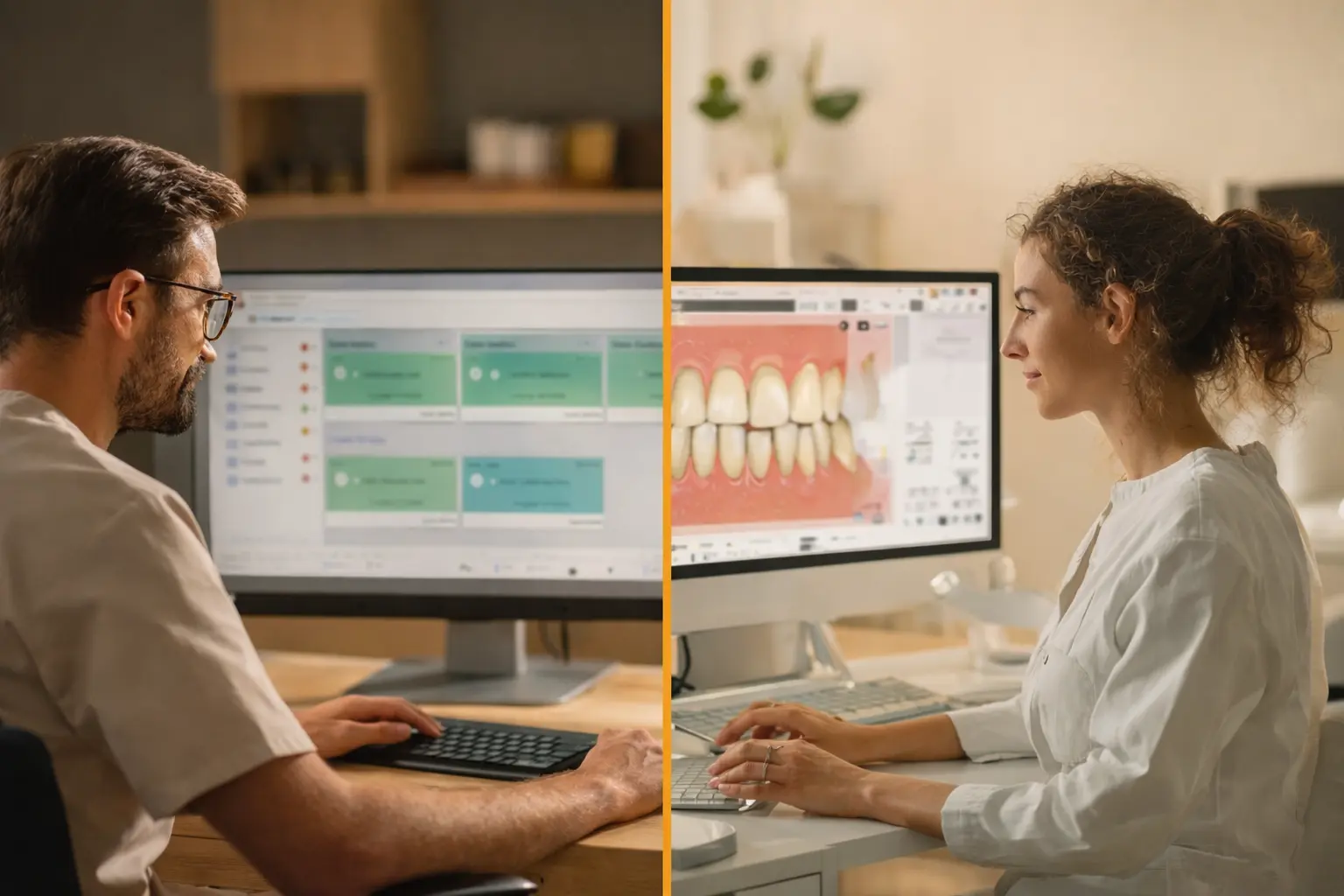
The manager pulls a schedule snapshot — flagged cases surface first, QC scans confirm stage completion, and anyone who needs an update gets it without picking up the phone.
- Reports, queries, dashboards, and visual calendars provide real-time visibility across all work centers.
- Case reports and queries support analysis across every area of lab operations.
- Reports can be filtered by date, status, case type, work center, technician, customer, and more.
- Case reports identify shipments, invoices, late cases, on-hold cases, try-ins, and other key statuses.
- Quality control scans at each production stage support analysis and troubleshooting.
- Production reports analyze performance by work center, department, product, date range, and remakes.
- Technician productivity reports support performance reviews and incentive pay calculations.
- Customer activity and history reports support service, analysis, and business development.
- Reports can be viewed, printed, emailed, or exported to PDF, Excel, and CSV formats.
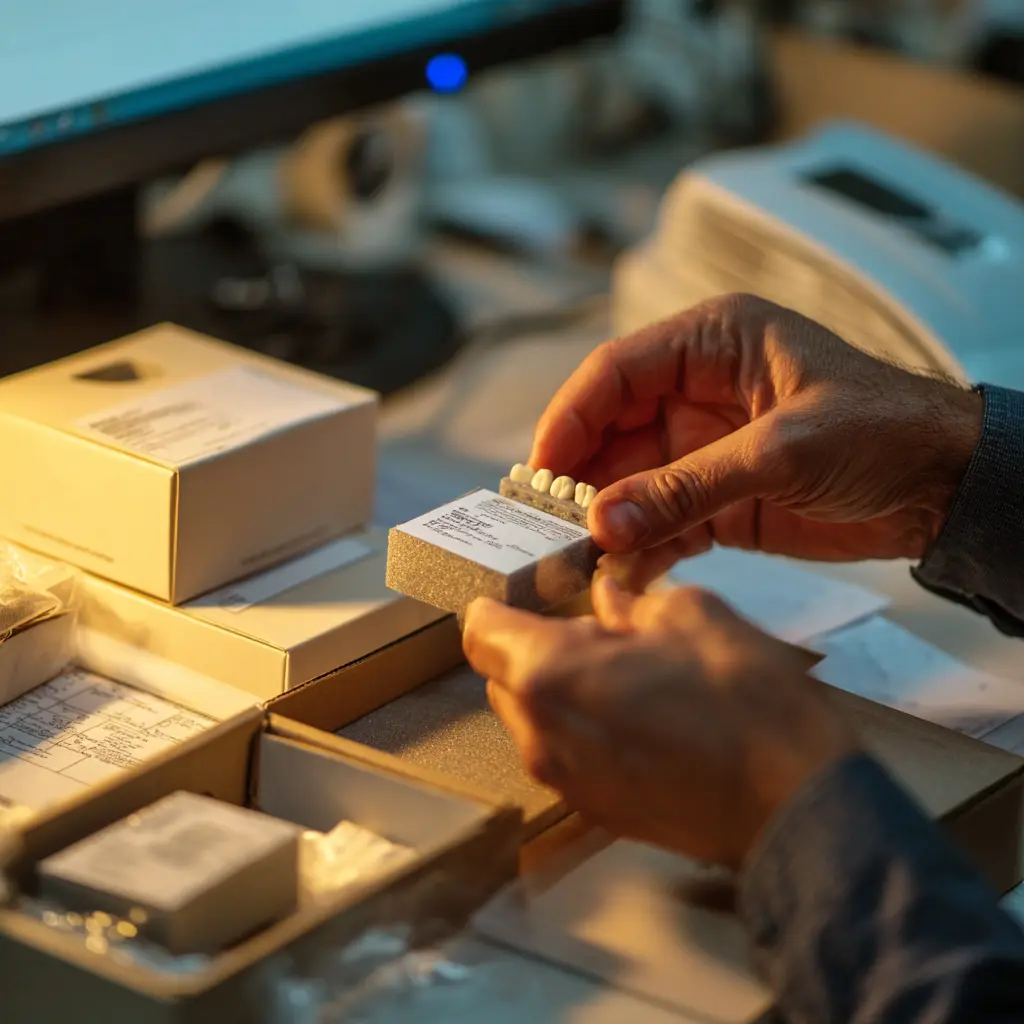
Cases go out. On time and on schedule.
Case reporting helps to assure timely progress, due dates, completions. When case is ready, label prints, tracking information attaches, and the doctor gets their case by their due date. No missed due dates, no unhappy customers.
- UPS and FedEx shipping labels print directly from the case screen, with tracking automatically attached to the case record.
- Custom case labels for local and courier deliveries can include barcodes.
- Pickup and delivery manifests provide confirmation for local service routes.
- Barcode scanning can automatically trigger shipping confirmation.
- Quality control scans can be incorporated into the shipment release process.
- Dental offices can be automatically notified via email or DentalRx with tracking information.
- Integrated support for UPS, FedEx, and USPS provides end-to-end shipment tracking.
Sales and revenue are entered.
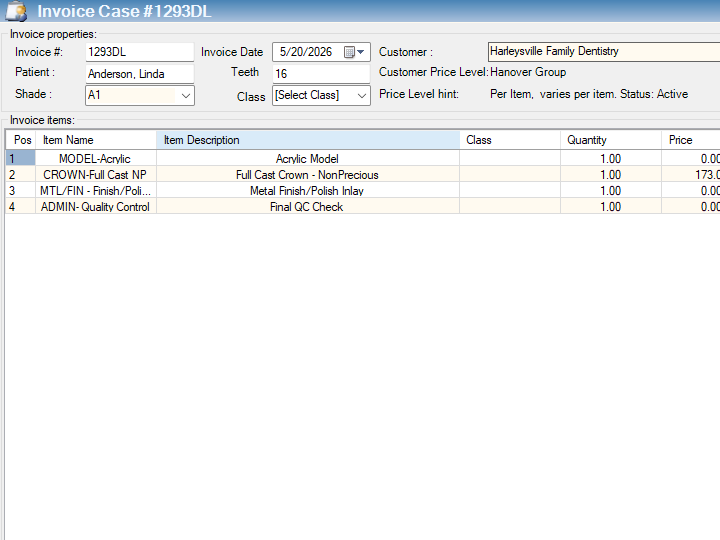
DentaLab uses the case fields to build the invoice and transfers it to QuickBooks. Customer pricing is applied to assure accuracy. If taxable, QuickBooks calculates and adds the tax. Standard and special messages to the dental office can be added as well as shipment tracking. The invoice can be printed in QuickBooks or DentaLab to go with the case. It can also be emailed from QuickBooks to provide for online payment.
- Invoices can be generated individually or in batches.
- Standard pricing is maintained in QuickBooks, while customer-specific pricing is managed in DentaLab.
- Invoice details are automatically generated from case data and selected options.
- Detailed invoice history helps ensure accuracy for multi-stage cases.
- Invoices can be edited and supplemented as needed before finalization.
- Standard and custom messages can be included on customer invoices.
- Invoice data synchronizes seamlessly with QuickBooks Desktop and QuickBooks Online.
- QuickBooks automatically applies tax rules based on customer, item, and location.
- Invoices and sales reports are available in both DentaLab and QuickBooks.
- QuickBooks supports online payments, multiple payment methods, collections, and accounts receivable management.
- Financial access can be restricted and secured within both DentaLab and QuickBooks.
- QuickBooks provides audit trails and financial reporting for accounting and compliance requirements.
- Automated backup and recovery options help protect DentaLab data.

Built for dental labs. Every feature, every workflow.
Dental lab software built from the ground up around how your lab actually operates — from the first case scan to the final QuickBooks entry. Trusted by labs of every size since 2005, and still the only solution that synchronizes bidirectionally with QuickBooks in real time.
Every case. Every stage. Nothing falls through.
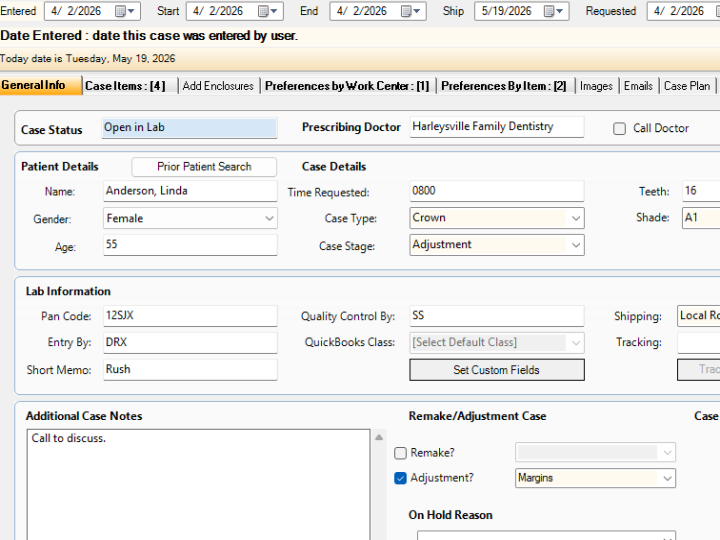
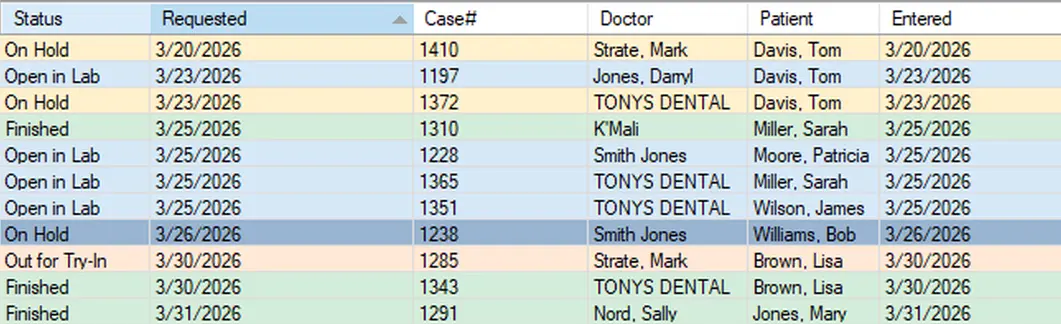
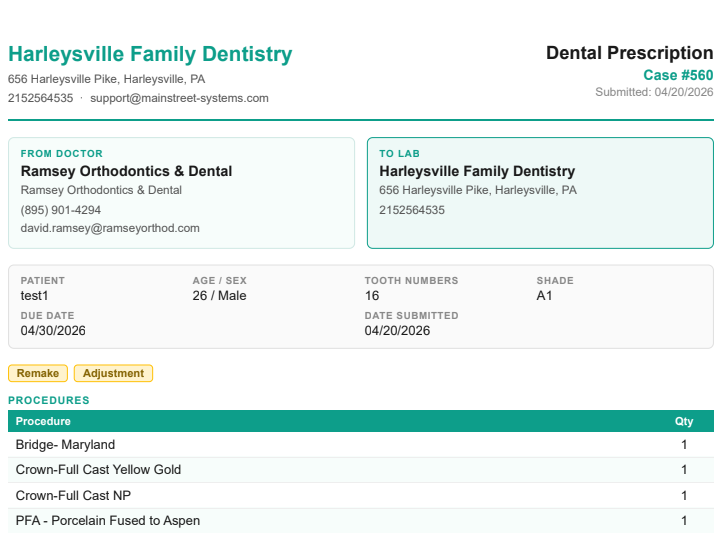
The heart of your lab runs on case management. From the moment a case arrives — by courier, by hand, or digitally via DentalRx — every detail is captured, tracked, and visible in real time. No spreadsheets, no sticky notes, no calls to the floor to find out where something is.
- Convenient clear case intake and entry via both DentalRx and key entry
- Track every case by doctor, patient, tooth, shade, requested date, other dates and more
- Stage-by-stage production tracking
- Remake tracking tied to original case record
- Promised date tracking with overdue alerts
- All case types — crowns, bridges, implants, dentures, ortho
- Lab notes and technician instructions per case
- Instant case search by doctor, patient, or case ID
- Customer alert emails on key case milestones
- Multiple case types and sub-types supported
- Halt and reactivate cases at any production stage
- Full case history log — every action timestamped
- Settings to require or disable case fields
Work builds itself. Your team just executes.
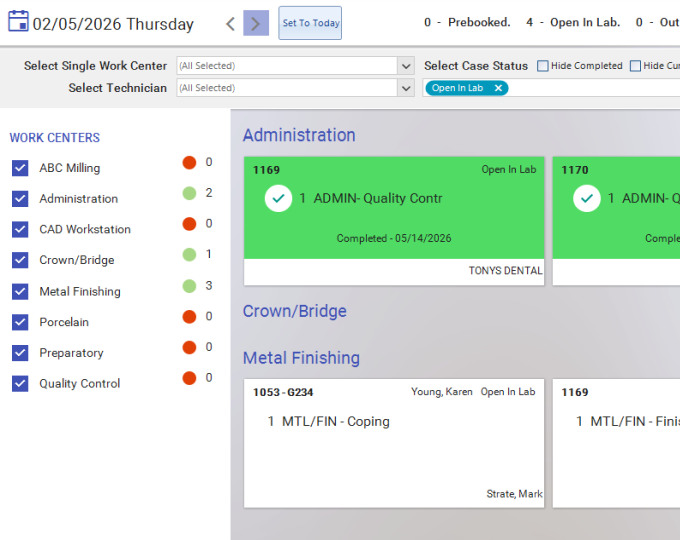
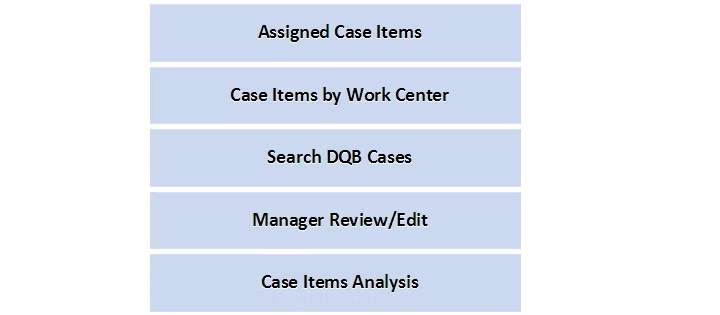
Auto-scheduling means cases route to the right work center the moment they're entered. Technicians start every morning with a prioritized work list already built. Barcode scanning updates production stages without anyone touching a keyboard. The schedule runs the floor — not the other way around.
- Automatic scheduling based on due date and capacity
- Standard procedures and time estimates per product
- Work center routing and queue management
- Individual technician work lists — built overnight
- Barcode scanning logs production steps instantly
- Pre-assign technicians to specific case types
- Halt and reactivate cases at any stage
- Visual schedule flowchart for managers
- Guided setup flowchart for new cases
- Incentive pay tracking per technician output
- Tablet workflow app for floor technicians
- Schedule snapshots — see the whole day at a glance
Cases go out. Doctors already know.
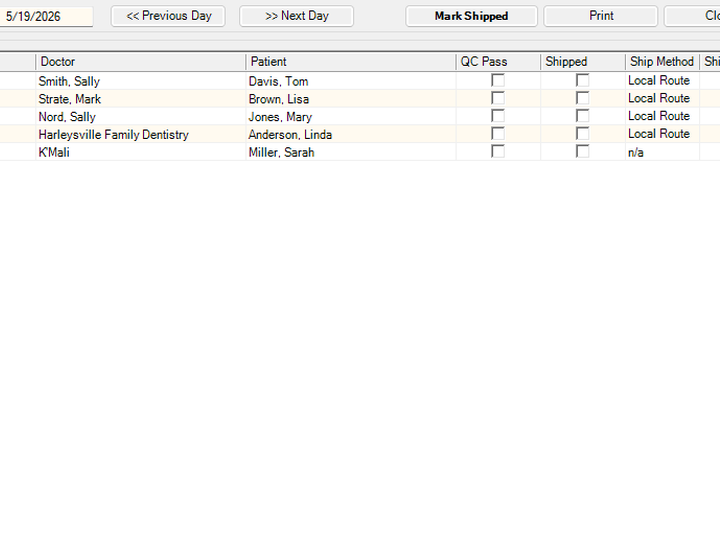
Print UPS or FedEx labels directly from the case screen. Scan to ship — tracking attaches automatically, the doctor gets an email, and the case status updates without a second thought. Every outbound case is logged, tracked, and accounted for before it leaves the building.
- UPS and FedEx label printing from the case screen
- Tracking numbers auto-attached to case records
- Barcode scan triggers shipping confirmation
- QC scan required before outbound release
- Case labels with tooth map and Rx summary
- Automatic email notification to referring doctor
- Doctor portal for real-time case status
- Pickup scheduling and courier log
- Ship method tracking and cost allocation
- Full activity log per shipment event
The books close themselves.
When a case ships, the invoice posts. When the invoice posts, QuickBooks knows — instantly, accurately, without anyone re-entering data. This is genuine two-way synchronization: not a one-time import, not a scheduled export. The lab and the books stay in sync in real time, all day, every day.
- Invoices generate automatically on case completion
- Two-way sync — not import/export, true synchronization
- Supports QuickBooks Desktop and QuickBooks Online
- Customer and item records sync automatically with QB
- Per-customer price levels and volume discounts
- Sales tax rules by product, state, and customer
- Outstanding balance and aging data visible in the lab
- Vendor and supply cost tracking built in
- Sales category and product group reporting
- Multi-workstation and multi-location support
- Restrict financial data to authorized users only
- Full audit trail on every financial transaction
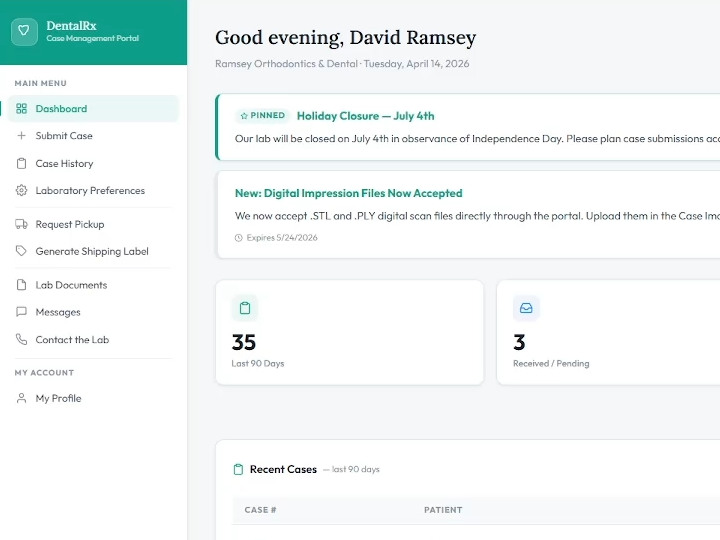
Doctors submit online. Cases appear instantly.
DentalRx gives your referring doctors a dedicated online portal to submit prescriptions, attach digital files, and check case status — without calling your lab. Cases entered through DentalRx flow directly into your system with all details attached, no re-entry required. DentalRx Direct takes it further, routing digital impressions straight to your CAD/CAM workflow.
- Doctors submit prescriptions online, 24/7
- Cases flow directly into your lab system on submission
- Digital files and images attach automatically to cases
- No re-entry — all doctor data carries over
- Doctors track case status through their own portal
- Real-time case status visible to the referring office
- DentalRx Direct routes digital impressions to CAD/CAM
- Automatic email notifications to doctors on ship
- Reduces incoming phone calls significantly
- Available as add-on supplement to your DQB system
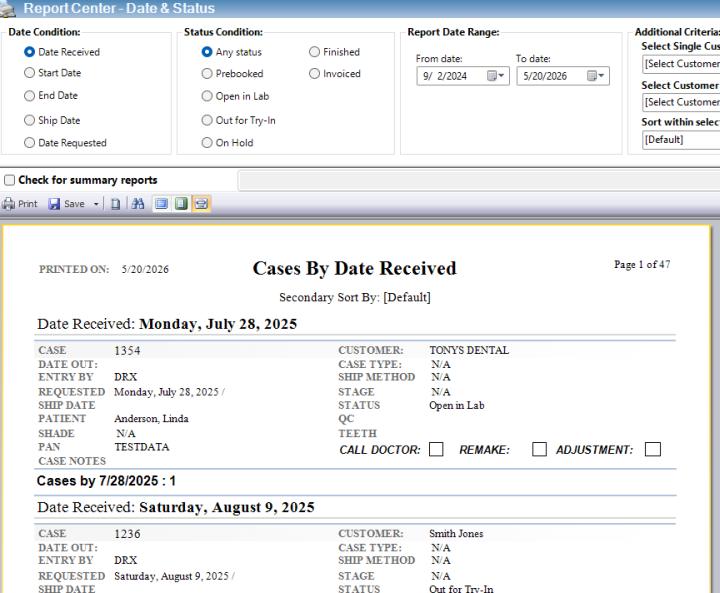
Every number your lab needs. Already in there.
Over 300 built-in reports cover every aspect of your operation — production, productivity, customer activity, quality control, financial performance, and more. Run them on demand, schedule them automatically, or export to Excel for further analysis. With thousands of report customizations available, you can answer any question your lab has, exactly the way you need it.
- 300+ built-in reports covering every lab function
- Thousands of report customizations available
- Production analysis by department and time period
- Technician productivity tracking and comparison
- Customer activity and case history reports
- Schedule snapshots — see the full day at any moment
- Quality control tracking and defect analysis
- On-time delivery rate by doctor and department
- Remake rate analysis by type and technician
- Revenue and invoicing summaries by period
- Custom query builder for ad-hoc reporting
- Export to PDF, Excel, and CSV formats
- Business development and customer growth reports
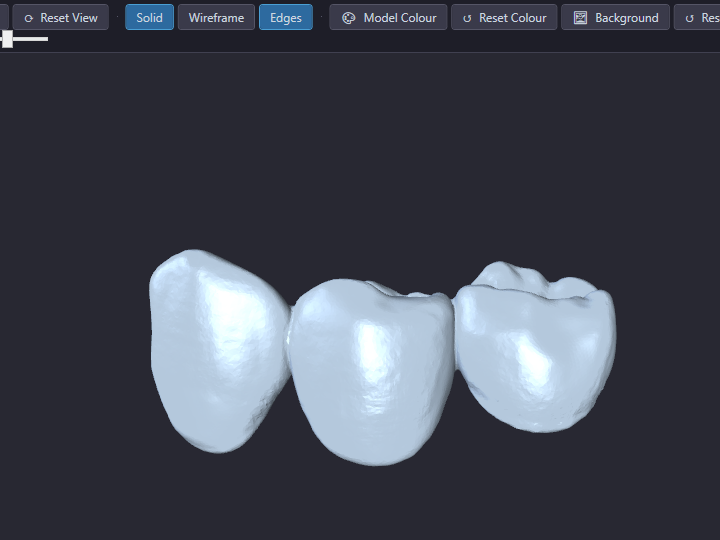
Digital impressions in. Cases built automatically.
As digital dentistry becomes the standard, your lab management software needs to keep up. Our software supports full CAD/CAM integration — automatic case creation from digital files sent by 3Shape, exocad, iTero, Medit, and others. Review STL files directly in the built-in STL viewer without leaving the software. Scan, attach, and store everything — prescriptions, images, documents — directly to cases and customers. Paper is optional.
- Built-in STL viewer — review digital files without leaving DQB
- Automatic case creation from incoming digital impressions
- Supports 3Shape, exocad, iTero, Medit and more
- TWAIN scanner and WIA-compatible scanner support
- USB webcam capture for case documentation
- Scan prescriptions — auto-associated with the case
- Attach graphic images sent by email from doctors
- Document center for non-JPEG file formats
- Images and documents attached to cases or customers
- Fast lookup — search and retrieve any file instantly
- Eliminate paper prescriptions entirely if desired
- DentalRx Direct for digital Rx straight to CAD/CAM
Real people. Real fast. Real protection.
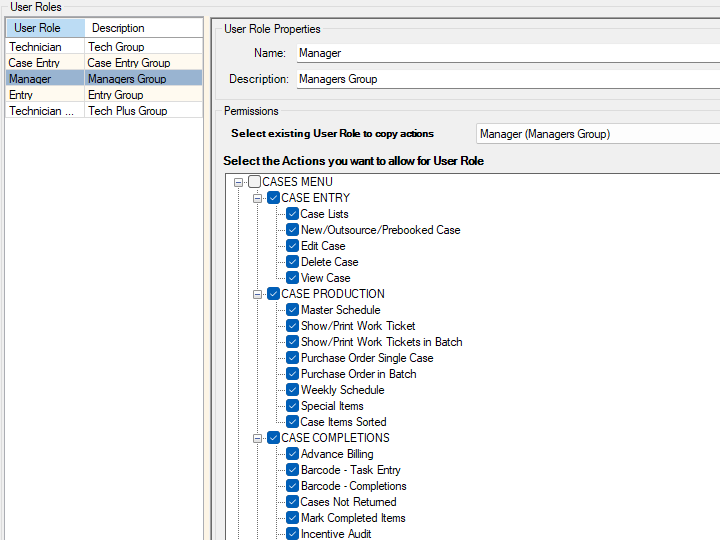
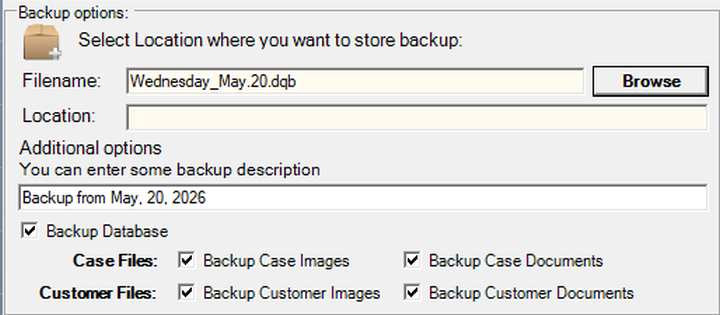
Enterprise-grade security with role-based access control means every person in your lab sees exactly what they need to — and nothing they shouldn't. Our advanced backup protocol protects your data around the clock. And when you call for support, you talk to someone who actually knows dental lab software — not a ticket queue.
- Role-based login and access control per staff member
- Restrict financial data to authorized users only
- QuickBooks and DQB both enforce access rules
- Multi-workstation licensing across locations
- Remote access via internet for off-site management
- Advanced automated backup protocol — AWS-powered
- Full audit trail on all financial transactions
- US-based support — phone, email, remote session
- Training included — onboarding for your whole team
- In-software help guides and step-by-step tutorials
- Custom programming available for your lab's needs
- Used by labs of every size — from solo to multi-location
2,000+ dental labs. Eight countries. A whole lot of letters.
Ready to see Dental Lab
running your lab?
Try it free for 30 days — full access, no credit card, and we handle every step of setup. Starting fresh or switching from another system, we'll have you live in 48 hours.